Becoming a PCB Librarian

Printed circuit board placement activities are similar to doing a jig-saw puzzle. We have many little items with interconnected aspects that create the big picture. Instead of a landscape, we create a network of electronics. The overall performance cannot be any better than the underlying symbols. This article will discuss the following threads: 

  • The importance of cohesion between the electrical and physical features
  • Manufacturability of the whole being dependent on the sum of its parts
  • Traceability to standards and naming conventions
  • How to automate or delegate PCB footprint creation

A librarian wears a few different hats during the course of a day. Their job fills the gap between the schematic and the printed circuit board. In order for a component footprint to manifest on the PCB, all of the pins have to be in alignment between the schematic symbol and the PCB footprint . One of the areas where this can go sideways is when there are additional pins for mechanical integrity such as the ones that are used to secure a connector. 

Figure 1. Mid-Mount connectors provide a lower overall height by creating a cut-out in the board and cradling the connector within. The z-axis reduction will depend on the PCB thickness. All through hole components depend on standard PCB thickness. Typically, 0.5mm, 0.8mm, 1mm and 1.6mm thicknesses are common for lower layer-count boards. Image Credit: Hirose 

Pin Number Mis-Match Is One Of The Most Common Hangups

The ground paddle of a quad flat pack type of device is another type where pin assignments can get in the way of progress. Take a 16 pin QFP with a large ground pin in the center. That pin might be number 17 or it could be assigned as G1 or something similar. In terms of the connector, there could be several such pins as well as non-electrical holes for component alignment.

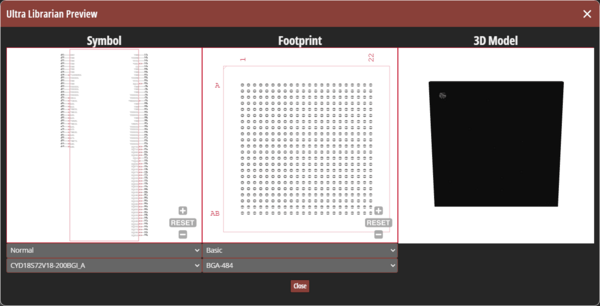
If the schematic and the digital twin do not agree on these terms, the part cannot be placed. The librarian has to be on both sides of the fence to ensure a cohesive design flow. It is often the case where the schematic symbol is generated or curated by an electrical engineer and the physical manifestation is sourced from a part vendor or a library service such as UltraLibrarian.

Figure 2. As mentioned in Figure 1, a mid-mount connector lowers the component height while creating quite a bit of geometry data. Note the many tightly controlled dimensions to incorporate for the PCB footprint (upper right) outside of the physical attributes of the connector itself. Image Credit: Hirose

There Are Three Levels of PCB Footprint Producibility

Component Engineers have to concern themselves with the entire lifecycle of a part as well as the end use. There is a three tiered system for generating surface-mount footprints. The tiers are equivalent to different levels of reliability. At the bottom of the scale, we have IPC-7351 Level A footprints. The land-pattern geometry corresponds with the minimal component spacing constraints or least material condition. Toys and consumer electronics with an intentionally short lifespan fall into this high density category.

The next tier up is for enterprise equipment where failure can be costly but not to the extent that lives are at stake. A few examples of Level B footprint usage are in data centers, edge routers and cellular base stations. The key difference to Level 1 is in the size of the pads and the personal space or “courtyard” for each component. The majority of printed circuit design is on this medium density level. It would thus be the default nominal selection when choosing which tier to implement.

The “final boss” is the Level 3 standard. Again, even larger pads and courtyards give each component more breathing room. The goal is to increase the mean time between failure or MTBF. Serviceability is enhanced by the extended toe fillets while reliability increases with the low density placement. Medical equipment, aerospace and defence industries will likely have a requirement for the maximum material condition in their contracts.

Figure 3. A snippet of the naming conventions for SMD components breaks things down by category, pin quantity and pitch followed by the bodily dimensions of the package. Image Credit: IPC.

The upshot here is that there are components available that are too small for high-reliability applications. When new silicon comes out, it is often packaged in the smallest possible footprint as a marketing advantage. That initial release would likely be in a fine-pitch BGA where micro-vias are required. The larger QFN package may be a year behind the leading edge devices in terms of availability. These three density levels correspond with the bare board classes, 1, 2 and 3 that govern things like the size of the via capture pad.

The Librarian Has To Think Like A PCB Designer 

While this is generally a board design thing, vias are occasionally part of a footprint, especially when there is a thermal pin. We want to have the correct number of vias in the right locations. Sometimes, the paste stencil will have openings that fit around the thermal via array. We may rely on capped or plugged vias in those locations. It’s up to the Librarian to suss all of this out and provide footprints that work for fabrication and assembly.

Recalling a schematic tutorial from back in the day, the USB type C connector is a good place to start with building a library. They come in many flavors. One of the common themes is a number of plated slots, possible non-plated alignment pins and closely spaced signal pins. The USB4 version improves on the USB type 3 with a 4X increase in the data rate.

Figure 4. One facet (shown) of the padstack editor controls the shape and size of the hole while other tabs define the drill symbol, the soldermask and paste stencil apertures and whether to suppress pads on layers with no connections among other attributes. Keeping the no-connect pads helps anchor the hole/slot to the board while deleting them reduces parasitics. Choose carefully. Image Credit: Author

The first step in generating any footprint is creating or finding the appropriate padstacks. Naming conventions are your friend. IPC-7351 provides a list of component types and has a number of variables depending on the nature of the part. Padstacks naming conventions are also included with the specification.

What About Components That Don’t Fit The Mold? 

Many components have features that defy parametric descriptions. In those cases, the naming convention uses an abbreviation of the company name along with that vendor’s part number for traceability. With experience, it becomes easy to figure out if something is out of pocket.

 A distributor for this part offers a 2D drawing as well as a step model. Those two things would go a long way towards finishing this connector with a reasonable degree of certainty. More mature products will also have downloadable footprints compatible with Cadence and other-widely used design tools. No matter the source, every new footprint deserves a second set of eyes to verify the geometry.


Figure 5. The “Wizard” is an automation tool that has expanded its applicability to include generation of a PCB database. This tool is best used for component footprints that lend themselves to parametric descriptions. This is not one of those cases. Image Credit: Author

To get started, I used the ZIP option to generate the staggered SMD pins and the overall connector dimensions. From here, the pins will have to be renamed and moved away from the center towards the edge of the package. I would also rotate the entire thing to align with the data sheet.

After that, careful placement of the slots and other geometry will flesh out the connector. The first thing I would do is draw the cut-out in the PCB outline. This needs to be obvious for the PCB designers so I would go ahead and use the actual board outline layer for that geometry.

If any dimensions of the footprint need to be carried out on the fabrication drawing, I would put them on the board level dimension layer rather than the component footprint dimension layer. If you ever turn the visibility of the footprint dimension layer on while in the board editor, you'd see why. It’s unreadable with all of the footprint data overlapping. You don’t want to lose those critical dimensions.


Figure 6. The results of the wizard are not complete but provide a basis for moving forward. One thing to always consider is that the silkscreen is right on the nominal size of the component and is drawn with a zero stroke width. This matches the assembly drawing layer which is fine as is. Editing the silkscreen lines to land outside of the part and giving them a manufacturable width is a matter of course. Don’t forget the polarity indicators as the wizard does not include them. Image Credit: Author. 

If all of this seems like too much effort for the amount of time you have between layouts, there are ways to outsource the library. Service Bureaus will likely be sitting on a hoard of schematic and board symbols. There are also web-based library services that can translate a Bill of Materials into a working library.

The beauty of this approach is that there are subscription models as well as piece rate deals. You would gauge your monthly requirements and go from there. The selling point is that having an in-house librarian or a vendor on a purchase order means that they can do the housekeeping while you solve “jigsaw puzzles” and play connect the dots. Sounds good to me.

About the Author

John Burkhert Jr is a Principle PCB Designer in retirement. For the past several years he has been sharing what he has learned for the sake of helping fresh and ambitious PCB Designers. The knowledge is passed along through stories and lessons learned from three decades of design including the most basic one-layer board up to the high reliability rigid-flex HDI designs for aerospace and military applications. John's well earned free time is spent on a bike or with a mic - doing a karaoke jam.

Profile Photo of John Burkhert