The Hidden Cost of Via Choices in High-Speed Designs

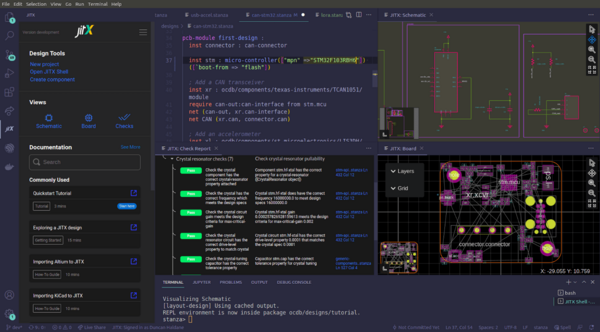
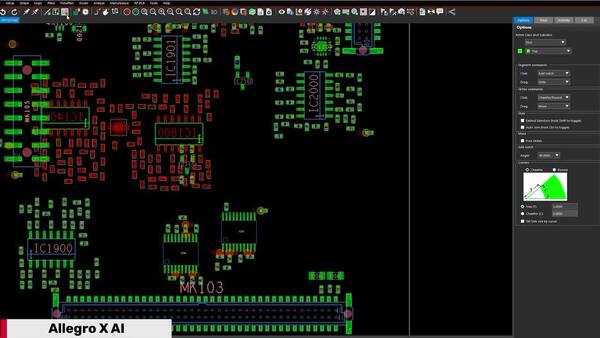
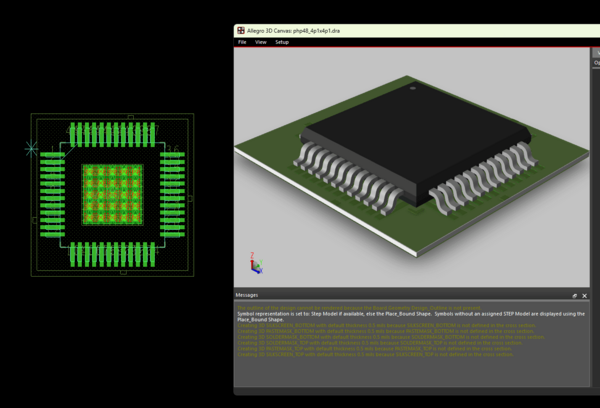
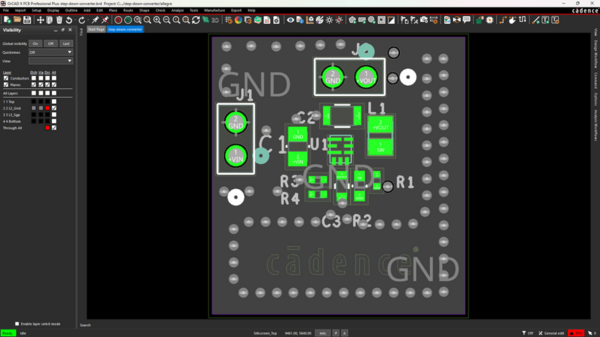
Figure 1: A via in Allegro X PCB Editor for a high-speed 12-layer PCB
A via looks simple. It is a plated hole that connects one layer to another. You place it, route through it, and move on. But at high frequencies, vias are one of the most electrically complex structures on the board. Like any other trace, they have inductance, capacitance, stubs, and radiation behavior that change with frequency, just in the vertical direction. The wrong via choice can place a hard ceiling on your channel bandwidth.
This post explains what happens inside a via at high frequencies, why stubs create resonances, what the simulation data actually shows, and what your via options are to fix it.
What Physically Happens Inside a Via
Consider a twelve-layer printed circuit board. A signal routed on layer 1 transitions through a plated through-hole (PTH) via to layer 5. 
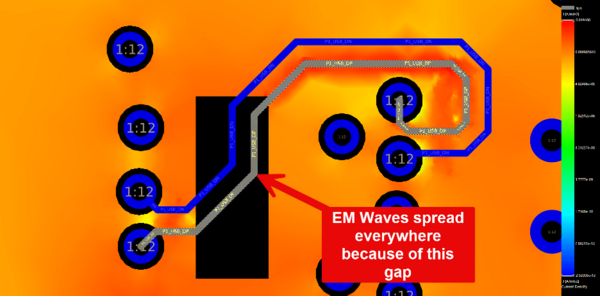
Figure 2: A via in Allegro X PCB Layout for a high-speed 12-layer PCB highlighting the via stub
The via is a copper-plated barrel that extends from layer 1 all the way to layer 12. The signal enters at layer 1 and exits at layer 5. But the barrel continues past layer 5 down to layer 12. That unused portion, from layer 5 to layer 12, is the stub.
The stub is a dead-end conductor. No signal travels through it to a receiver. But electromagnetic energy does not know that. For high speed signals, a portion of the signal energy enters the stub, propagates down to the open end at layer 12, and reflects back. The stub behaves like a relatively short, open-ended transmission line attached to the signal path.
The via also has parasitic elements. The via pads on each layer add capacitance. The distance between the via pads and the closest reference plane adds more capacitance. The barrel itself has inductance, which depends on the barrel length and the distance to the nearest ground via. High-Speed Circuit Board Design (Stephen H. Hall) explains that the via capacitance depends on the area of the via pads, the distance between the pads and the nearest reference plane, the capacitance of the barrel to adjacent planes, and the capacitance of the stub. These parasitic elements combine with the stub to form a resonant structure.
How Stubs Create Resonances (A Case Study)
The stub's inductance and capacitance form a tank circuit. At the natural frequency of that tank circuit, the stub resonates. At resonance, the via absorbs signal energy and radiates it into the dielectric layers between the surrounding reference planes. From the signal's perspective, this energy is lost.
The resonant frequency drops as the stub gets longer. Longer stubs have more capacitance and resonate at lower frequencies. The Advanced Signal Integrity for High-Speed Digital Designs textbook (Stephen C. Thierauf) provides 3D electromagnetic simulation results for multiple stub lengths on the same twelve-layer structure. The results are specific and worth looking at closely.
A 56.6-mil stub resonated at 12 GHz in the full-wave simulation. A 44.1-mil stub resonated at 15.5 GHz. A 37.8-mil stub resonated at 22 GHz. And a via with no stub showed no resonance dip across the entire simulated frequency range.
For the 37.8-mil stub case, the authors also calculated what percentage of signal power was lost. At the resonant frequency, roughly 62 percent of the total signal power radiated into the plane layers rather than reaching the receiver. The energy propagated outward between the reference planes in a circular pattern, in what is called the TEM parallel-plate waveguide mode. The stub acted as a small antenna, broadcasting energy into the board structure.

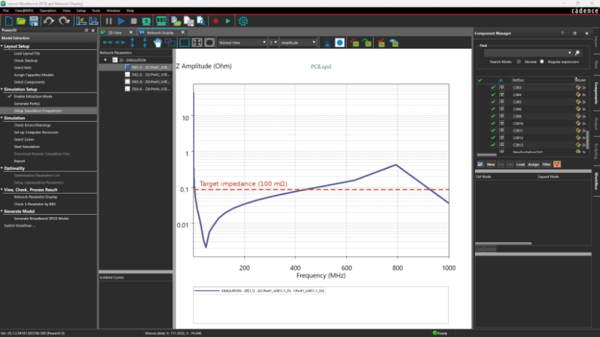
Figure 3: Insertion loss (S21) plot for a connector on a computer motherboard
That radiated energy does not just disappear. As it propagates between the planes, it can be picked up by other vias on the board. The Advanced SI textbook notes that this coupling mechanism can increase crosstalk dramatically. A via stub problem on one net can degrade signal quality on neighboring nets.
Why Simple Formulas Fall Short
Engineers often use a quarter-wave resonance formula to estimate the stub resonant frequency. The idea is straightforward: the stub resonates when its length equals one-quarter of the signal wavelength. But the Advanced SI textbook provides a direct comparison between the simple tank circuit model and the full-wave 3D simulation results, and the numbers do not match well.
For the 56.6-mil stub, the 3D simulation showed resonance at 12 GHz while the tank circuit model predicted 16.9 GHz. For the 44.1-mil stub, the simulation showed 15.5 GHz while the model predicted 17.5 GHz. For the 37.8-mil stub, the simulation showed 22 GHz while the model predicted 20.7 GHz.
The Signal Integrity book explains the discrepancy: the simple model does not account for the physical delay of the return current traveling to and from the ground via. As the ground via moves farther away from the signal via, the inductance changes, and the resonant point shifts. The pad geometry, antipad clearance, and reference plane spacing also affect the result. The authors conclude that the tank circuit approach is useful for approximate calculations, but if your design has via stubs resonating anywhere near the operating frequency, the fix is practical: shorten or remove the stubs using layout rules, microvias, or backdrilling.
Your Via Options
The goal is to reduce or eliminate the stub. Four approaches are available, each with different tradeoffs.
Blind vias connect an outer layer to an inner layer without extending through the full board. A blind via from layer 1 to layer 3 has no stub below layer 3. This eliminates the resonance problem for that transition. The tradeoff is manufacturing complexity: blind vias require controlled-depth drilling and add to fabrication cost.
Buried vias connect two inner layers without reaching either outer surface. They are drilled and plated during the core lamination step, before the outer layers are added. If a buried via in the core extends beyond the layers it actually connects, stub effects still occur. The HDI design workflow in Allegro X addresses this by validating via legality against the lamination sequence.

Figure 4: Backdrilled via in the cross section of a PCB (source: Sierra Circuits)
Back-drilled vias start as standard PTH vias. After the board is fully plated, a precision drill removes the stub portion from the opposite side. The Advanced SI textbook's twelve-layer example shows the back-drilled region in the cross-section diagram. Backdrilling is effective for thick boards where blind vias are not practical, but it requires tight tolerance control on the drill depth.
Microvias are laser-drilled vias that span only one or two layers. They are the standard approach in high-density interconnect (HDI) designs. Because they span such short distances, stub effects are minimal. The Sierra Circuits guide notes that microvias improve electrical characteristics and reduce parasitic inductance and capacitance.
For signals above 10 GHz, the Designing HDI in Allegro X design guide recommends using Sigrity extraction to model via structures and identify any stub resonances within the signal bandwidth.
The Differential Pair Complication
For differential signaling, via design adds another requirement: symmetry. The Advanced SI textbook states directly that if ground via placement is not symmetrical with respect to each leg of the differential pair, asymmetry is introduced. That asymmetry converts differential energy into common-mode energy. Common-mode energy does not cancel at the receiver. It adds noise and degrades the eye opening.
Both legs of a differential pair must use identical via structures. If the positive leg uses a two-level stacked microvia, the negative leg must use the same two-level stack. Matched via placement matters: the P and N vias should be placed at equal distances from their respective traces, with equal-length stubs if any stubs remain.
The Via Is a Layout Decision
Via type is chosen during layout. The schematic does not specify it. That choice sets the stub length, the resonant frequency, and the upper limit of the channel bandwidth. For low-frequency designs, a standard PTH via works fine. For multi-gigabit signaling, the stub must be managed.
The Topology Explorer in Sigrity X Aurora extracts the via structure from your routed layout and includes it in the electrical model. You can simulate the insertion loss and see the resonance dip if one exists. You can compare a PTH via to a blind via or a back-drilled via on the same signal and measure the bandwidth difference. The data tells you whether your via choice supports your target data rate.