How to Identify Where Obsolete Components Are Used with OrCAD X CIP
Key Takeaways
- Identify obsolete and near-obsolete components quickly
- Determine which BOMs and designs contain affected parts
- Reduce redesign effort during product updates
- Improve lifecycle visibility across projects
- Support proactive supply chain risk management
Component obsolescence is one of the most common causes of unexpected redesign activity during product updates and derivative development. When teams reuse existing intellectual property, it can be difficult to determine which products contain components that are approaching end-of-life status. OrCAD X CIP enables engineers to quickly identify obsolete components and perform where-used analysis across existing designs through effective component library management. With saved searches and centralized component data, teams can proactively assess lifecycle risk and incorporate supply chain data into component selection before sourcing issues impact future development efforts.

Step-by-Step Workflow
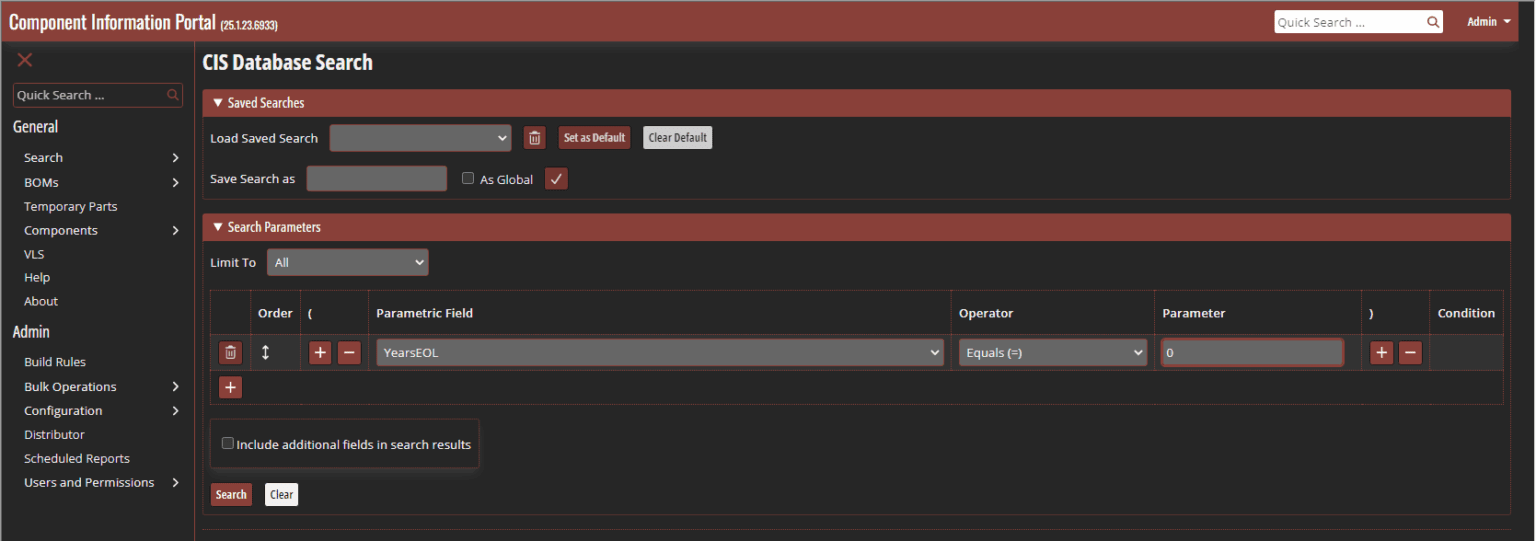
Step 1: Select CIP > Open CIP from the menu and enter your login information. The CIS Database panel opens automatically.
Identifying Components that are End of Life (EOL)
Step 2: Enter the desired search parameters. To identify components that have reached end-of-life status, configure YearsEOL = 0. This lifecycle data helps identify sourcing and redesign risks before they affect future projects and supports broader supply chain and compliance management initiatives.
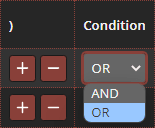
Step 3: Select the + icon under the parameter table to add the condition to the search.
Adding a Parameter to the Component Database Search
Step 4: Set the condition to OR.
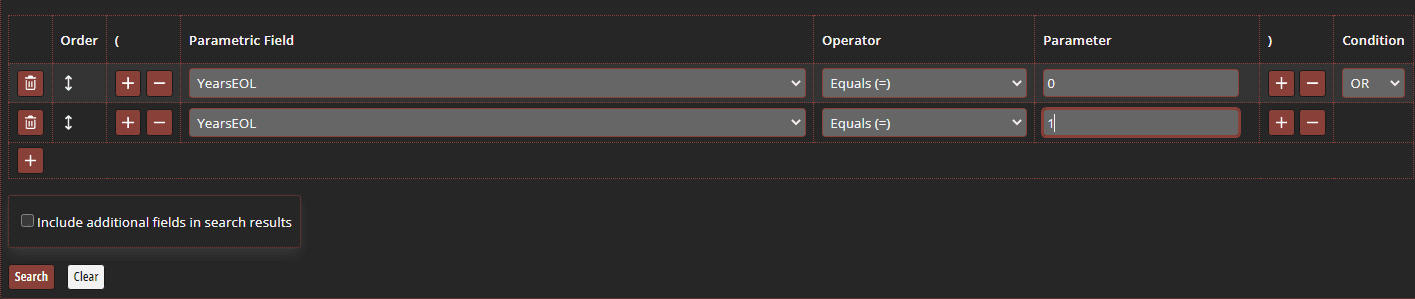
Step 5: Add a second search parameter with YearsEOL = 1 to identify components approaching end-of-life. Identifying lifecycle risks early gives teams additional time to validate replacements and update approved component lists.
Identifying Components that are near the End of Life
Step 6: Select Include Additional Fields in Search Results. This displays lifecycle, status, and sourcing information directly in the results table, making it easier to evaluate risk. Reviewing lifecycle information alongside real-time sourcing data provides greater visibility into long-term component availability.
Identifying the BOM Where a Component is Used
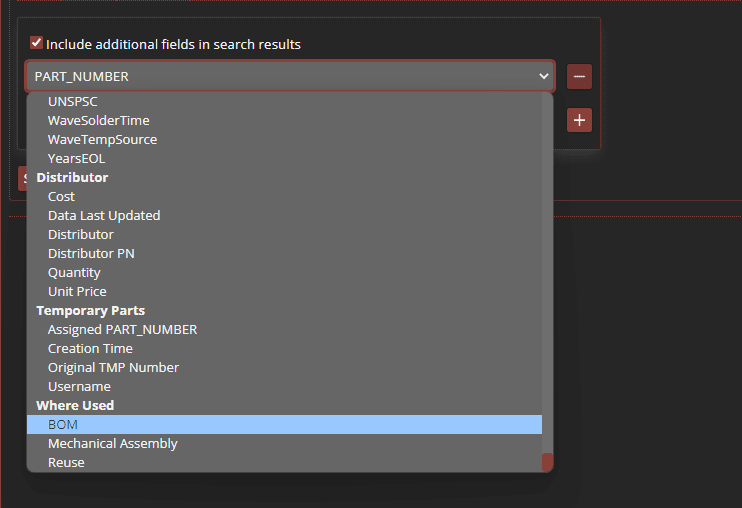
Step 7: Under the Where Used section, select BOM from the dropdown menu. CIP automatically identifies every Bill of Materials where the component is used, helping engineers assess obsolescence impact across active products and reusable IP.
Step 8: Select the + icon in Additional Fields.
Step 9: Add Company Part Status to the displayed search results. Displaying lifecycle information alongside company status provides a more complete view of component health and helps prioritize remediation efforts. Teams can also evaluate alternate and secondary sourcing strategies.
Step 10: Enter a name in the Save Search As field and save the search for future lifecycle reviews. Saved searches support ongoing governance and continuous monitoring of component health. Selecting Global will make the search available for all users. If global is not selected, the search will be available locally.
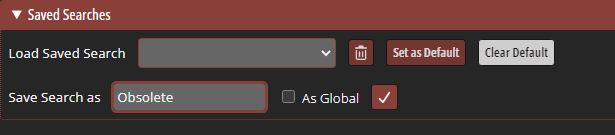
Saving Parameters to Reuse a Component Database Search
Step 11: Select the checkmark to save.
Step 12: Select Search.

Searching Database for Obsolete Components
Step 13: View the search results to identify components that are 0-1 years away from obsolescence and determine where these components are used. Selecting a part number will bring you to the component page in the database. Here you can view additional component information as well as the corresponding BOM.

Identifying BOMs Associated with Obsolete Components
Step 14: From the component page, selectLast Search to return to the CIS Database Search panel. The newly saved search is available in the drop-down selection under Load Saved Search and can be used to expedite future searches.

Reusing Saved Search Parameters
Wrap-Up
For lifecycle-driven decision making, engineers can combine this workflow with real-time component sourcing and availability insights, broader supply chain and compliance management, and the use of secondary sources to their component library to improve resiliency when parts approach end-of-life.
By combining lifecycle analysis with where-used functionality, engineering teams can identify obsolete components earlier, prioritize replacement efforts, improve design reuse, and reduce the likelihood of supply chain disruptions. Effective centralized PCB component library management helps ensure long-term product sustainability and smoother product revisions.